Boot flow and boot images
Follow the stages from BootROM, build BOOT.BIN and select the roles of the FSBL, ATF, U-Boot and bitstream.
From JTAG to autonomous boot
During development, the engineer can use Vitis to initialize the board and load an ELF through JTAG. An autonomous product must find these elements in non-volatile memory, which keeps its contents after power is removed, and load them without the development computer.
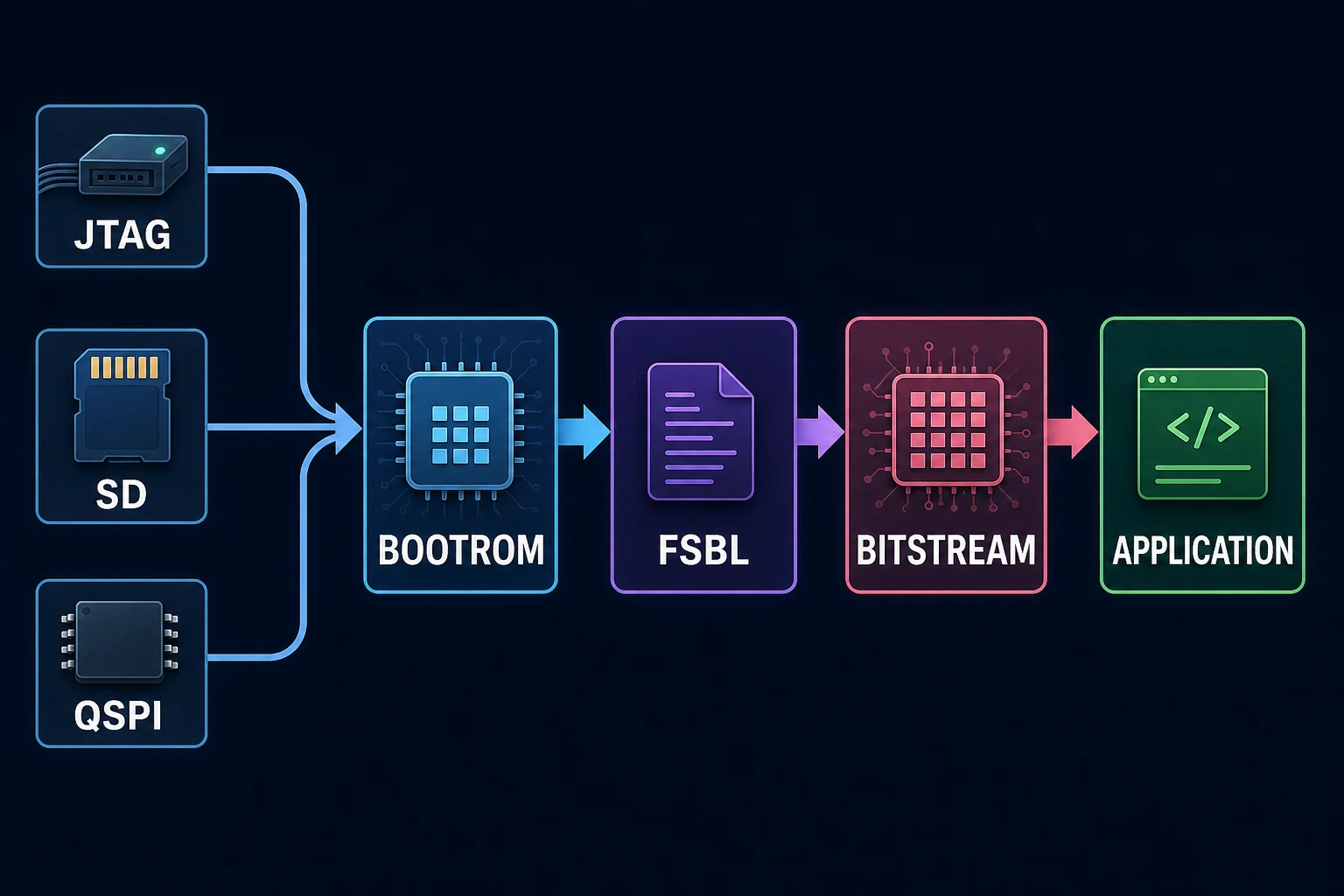
Boot starts after power-on reset. Boot mode selects QSPI, SD, eMMC or JTAG depending on the device and board.
Boot stages
BootROM is fixed startup code stored inside the chip. It is the first code executed and is called stage 0. It initializes the minimum hardware, reads the image header and loads the first loader into local memory.
On Zynq-7000, the First Stage Boot Loader, or FSBL, initializes the PS from Vivado-generated data. It can configure the PL and load later partitions. Zynq UltraScale+ MPSoC adds platform management and security components.
| Partition | Common role |
|---|---|
| FSBL | PS initialization and first loading stage |
| PMU firmware | ZynqMP platform management |
| Bitstream | PL configuration |
| Arm Trusted Firmware | Transition to the required exception levels |
| U-Boot | Second-stage loader and system source selection |
| Linux image | Kernel, device tree and file system |
| Application ELF | Standalone program |
Building BOOT.BIN
Bootgen assembles partitions according to a BIF file.
the_ROM_image:
{
[bootloader] fsbl.elf
[pmufw_image] pmufw.elf
[destination_device=pl] design.bit
[destination_cpu=a53-0, exception_level=el-3] bl31.elf
[destination_cpu=a53-0, exception_level=el-2] u-boot.elf
}A Zynq-7000 standalone image is usually shorter and contains the FSBL, bitstream and application ELF. The bitstream must precede software that immediately accesses a PL peripheral.
FSBL and U-Boot
The FSBL configures PLLs, clocks, DDR, MIO and selected resets from platform initialization data. It copies partitions to their destinations and hands over execution.
A minimal validation program waits for the UART and prints a message proving that the application has booted. This small image limits the number of possible failure causes.
U-Boot provides richer drivers and commands. It can read a file system, load over the network, edit kernel arguments and choose a recovery image. A small standalone application may not need it. Linux normally does.
Diagnosing a boot failure
Start from the smallest image. Observe the serial port from reset. Check boot mode, storage, partition order, destination addresses and consistency between XSA, FSBL, bitstream and application.
No output can point to BootROM, the boot source, UART or FSBL. FSBL output followed by a halt points more often to a later partition, DDR initialization or a destination address.
Official references
The Software Developers Guide UG1137 boot overview describes the Zynq UltraScale+ MPSoC flow. Boot Device Initialization covers initialization of the selected source.
Key points
BootROM loads the first loader. The FSBL initializes the platform and loads partitions. U-Boot adds services needed by a rich system. BOOT.BIN is an ordered container whose partitions have explicit roles and destinations.
Test your knowledge - Chapter quiz